Academic
Step
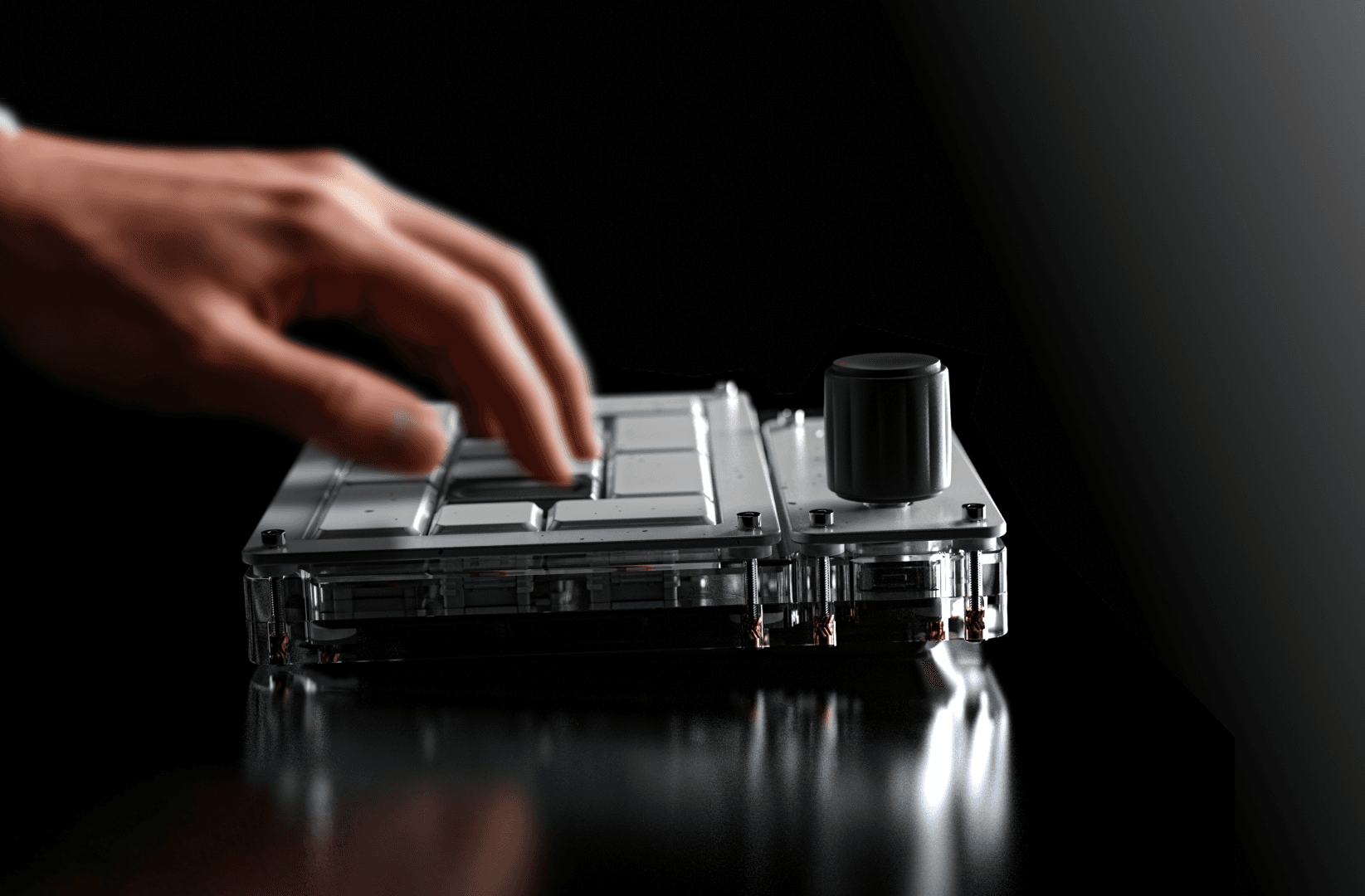
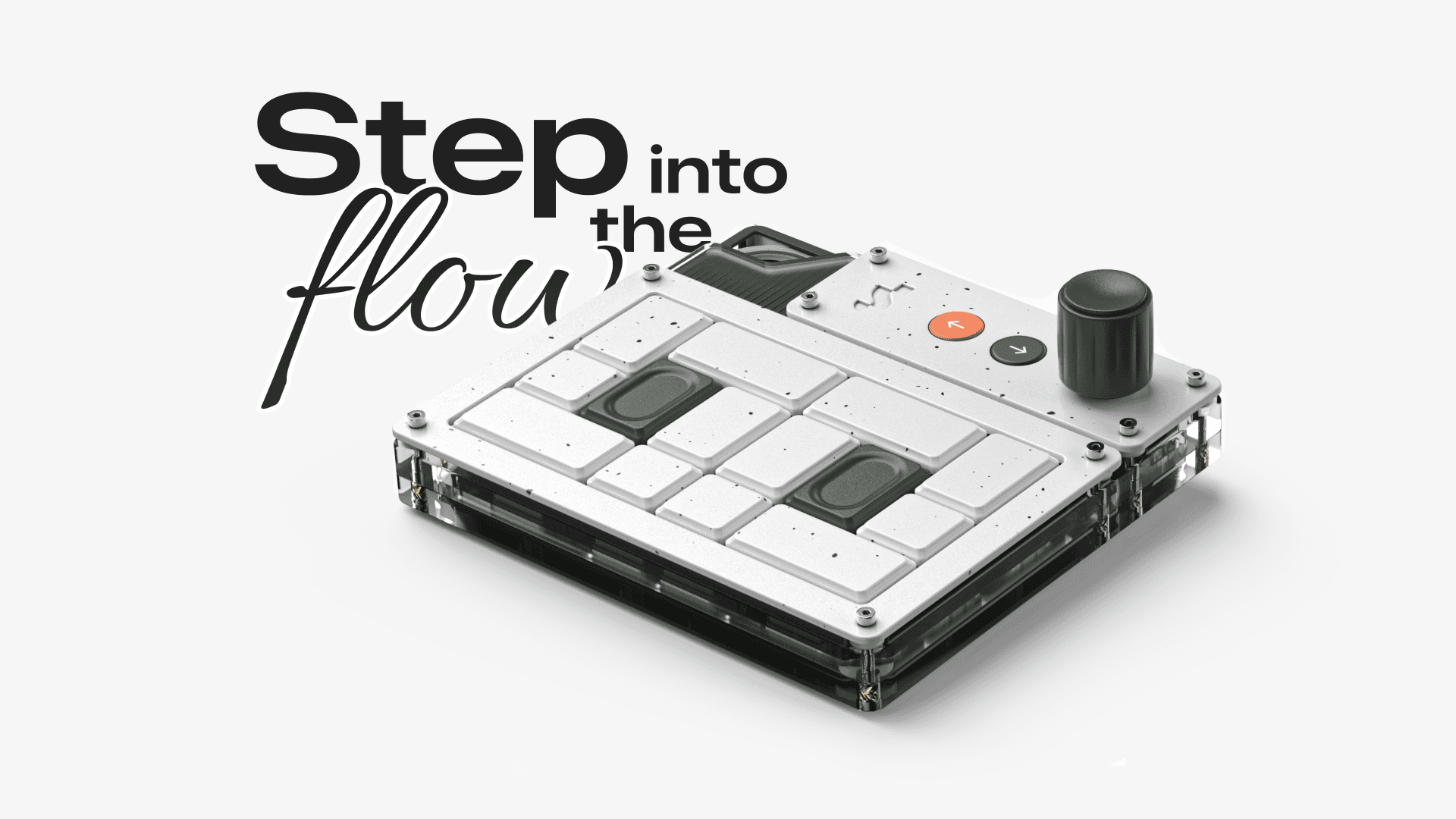
A macro pad designed to increase CAD workflow efficiency for industrial designers and CAD users.
Project Type :
Individual
Industry :
Consumer Tech
Client :
Personal
Project Duration :
20 weeks
BACKGROUND :
Industrial designers often work in fast-paced environments where quick decision-making and iteration are essential. However, inefficiencies in the design process can slow them down and disrupt creative flow, leaving designers feeling exhausted and frustrated, ultimately affecting their motivation and the overall progress of the project.

MY EXPERIENCE :
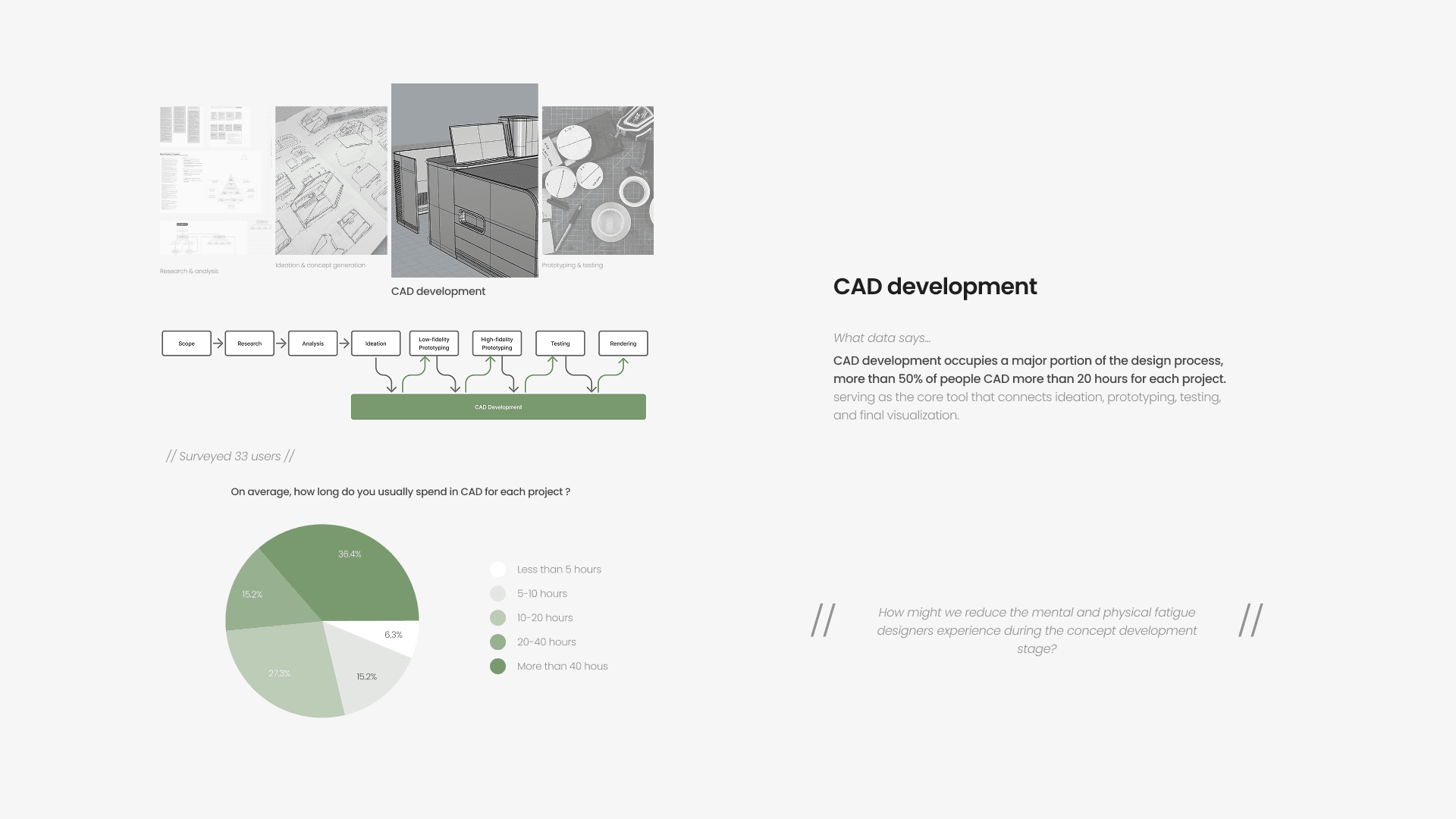
The CAD development phase requires the most time and effort. It is also the most important and challenging stage, as it lays the foundation for everything that follows. Without it, the product would not come to life.
DESIGN SCOPE :
RESEARCH :
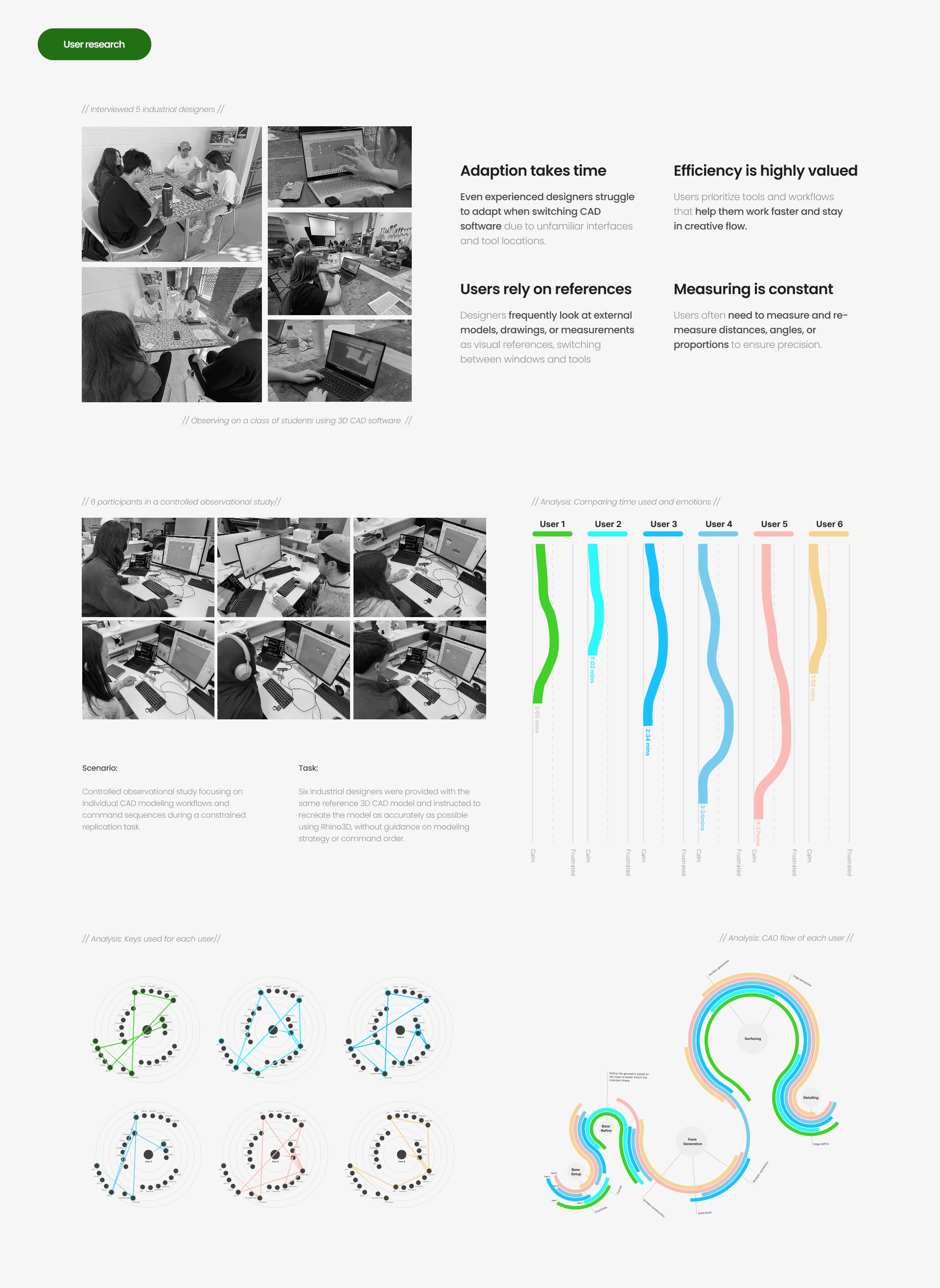
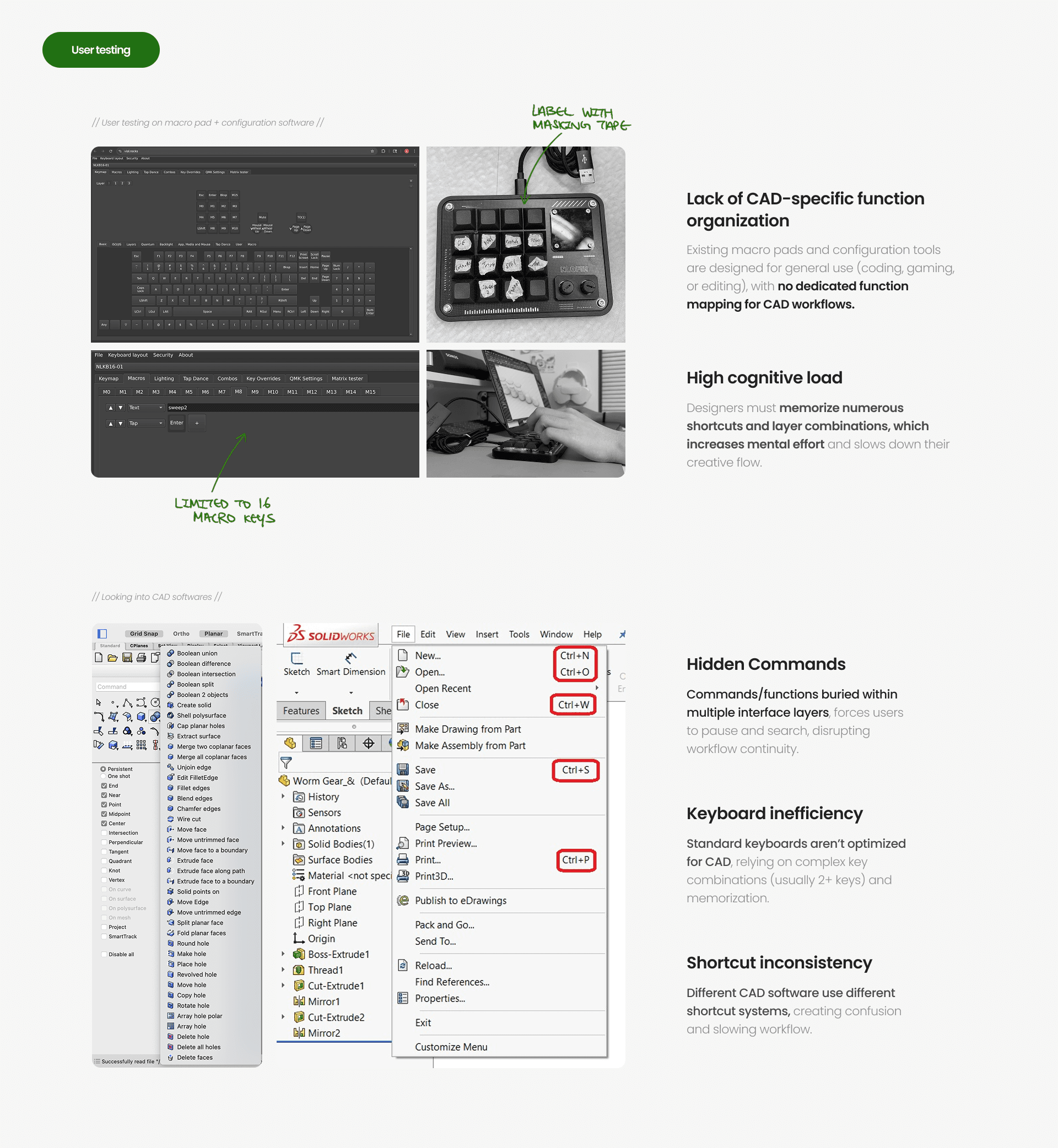
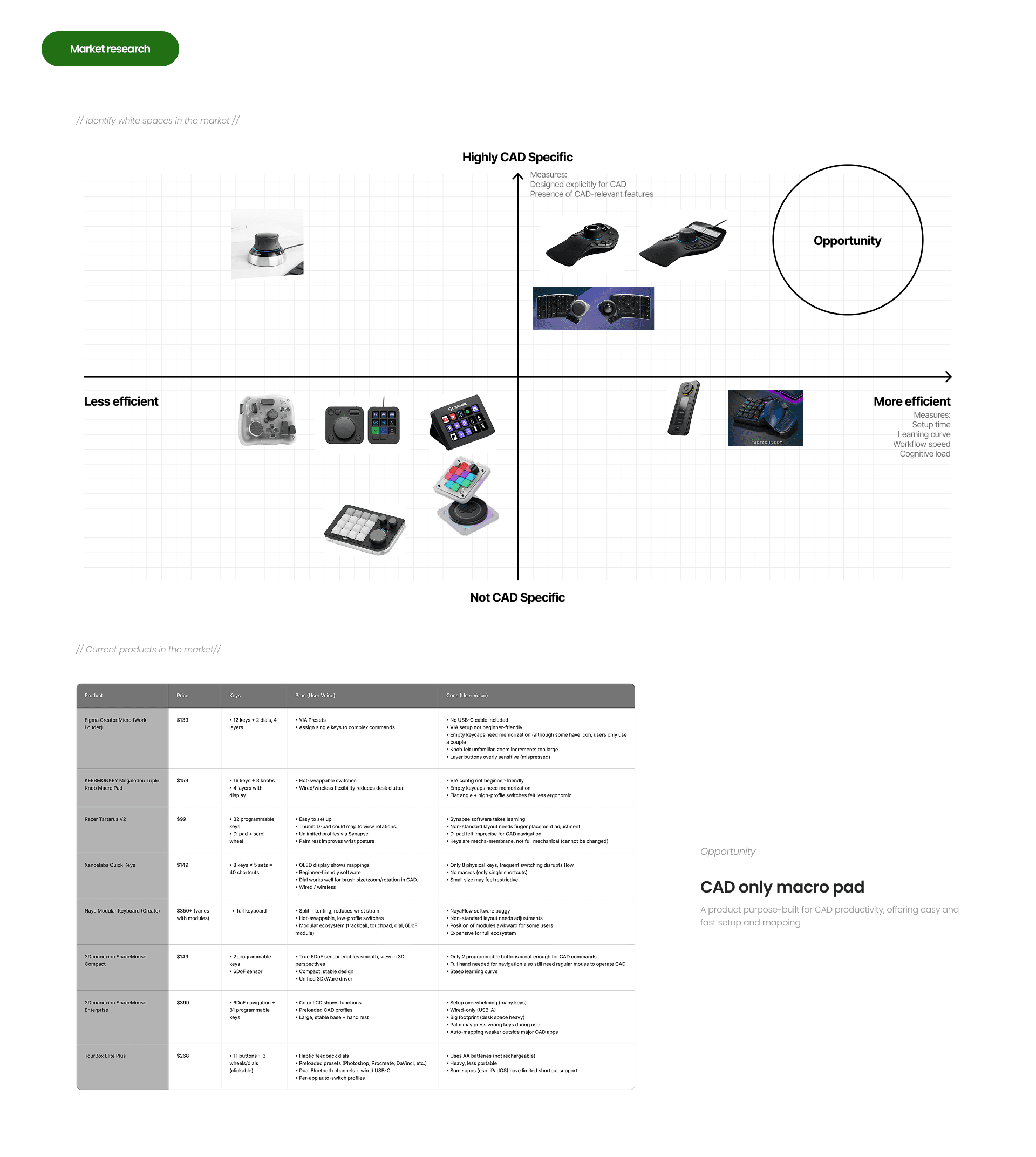
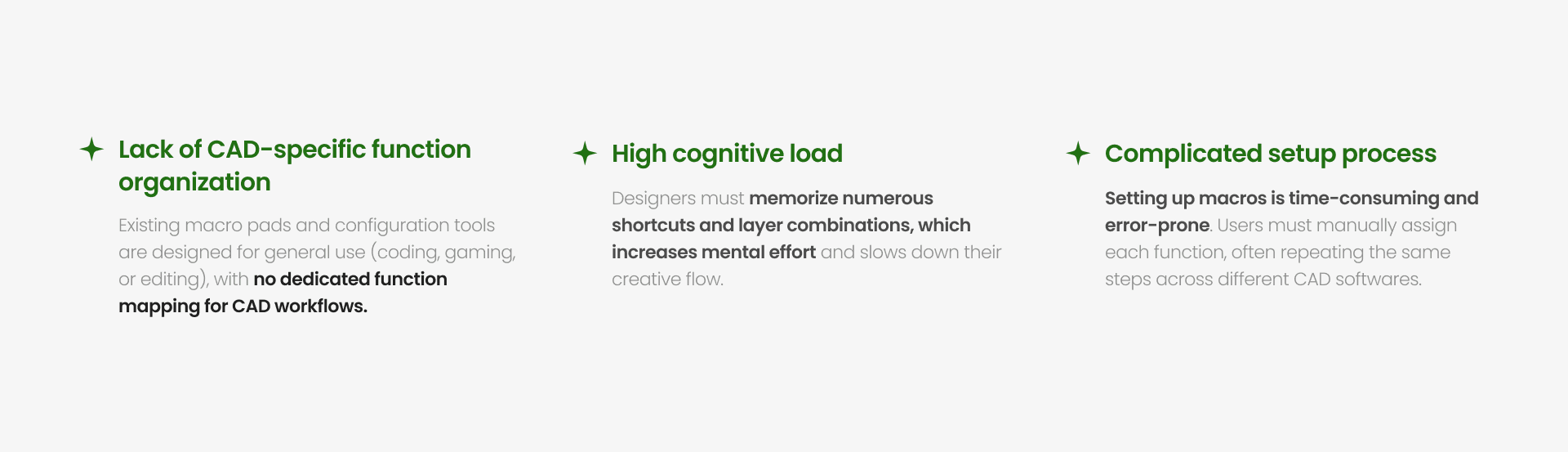
Through interviews, workflow observation, usability testing, and market analysis, I identified structural inefficiencies in existing CAD interaction systems.
KEY PROBLEMS :
DESIGN PROCESS:
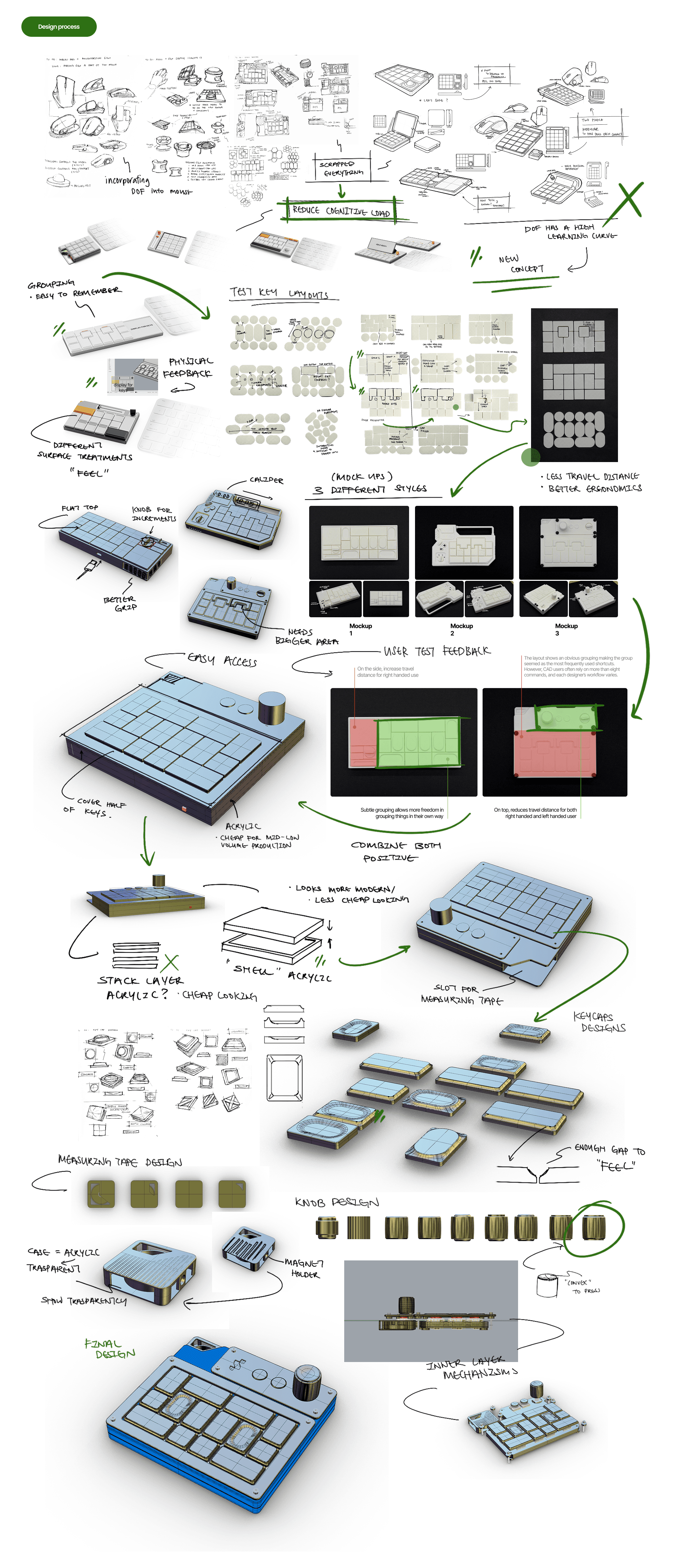
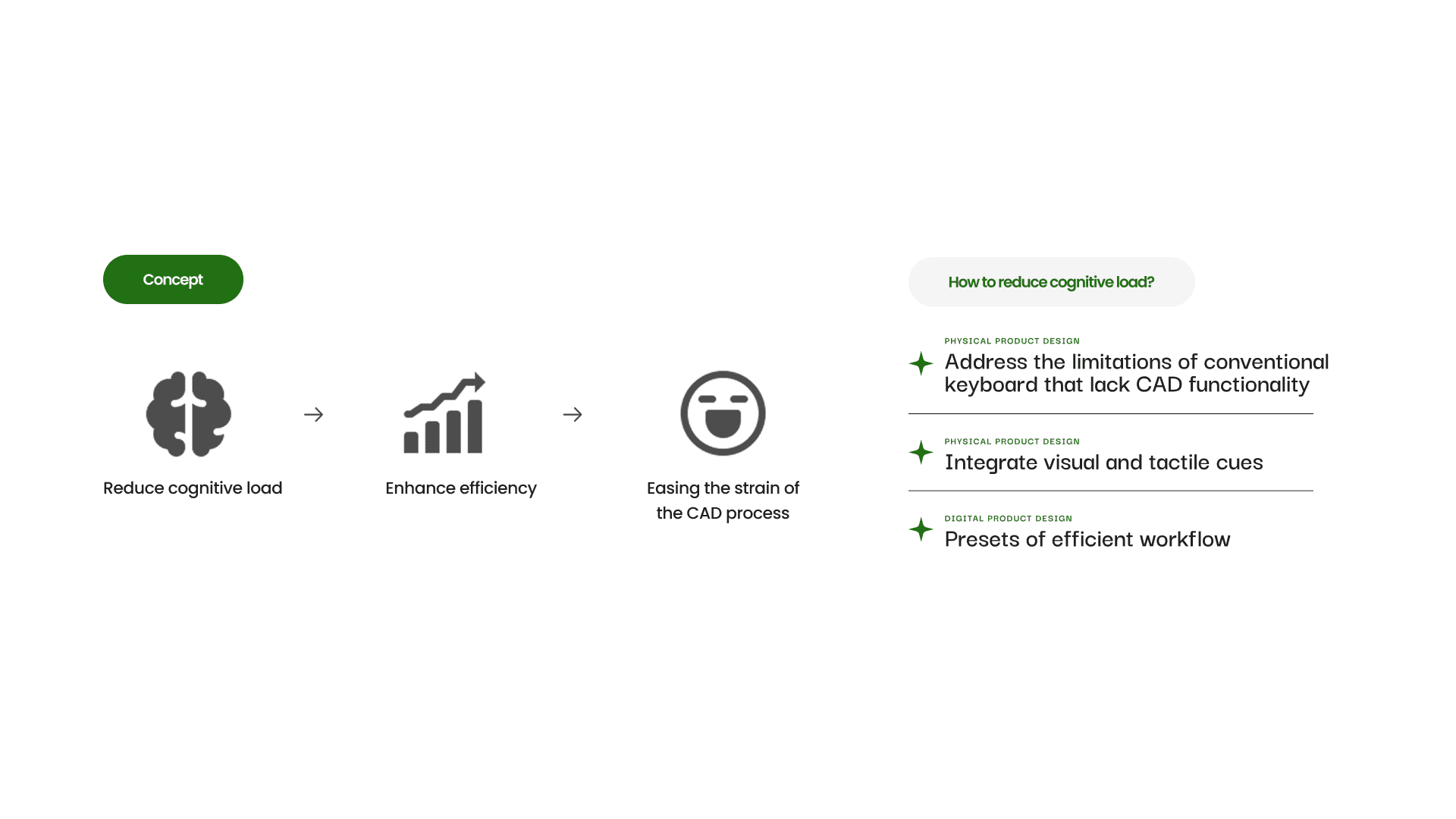
The project began with a 6-DOF control concept for CAD, but research revealed a steep learning curve and increased cognitive load. Recognizing that mental effort, not lack of control, was the core issue, I pivoted toward designing a system focused on workflow clarity and reduced complexity.
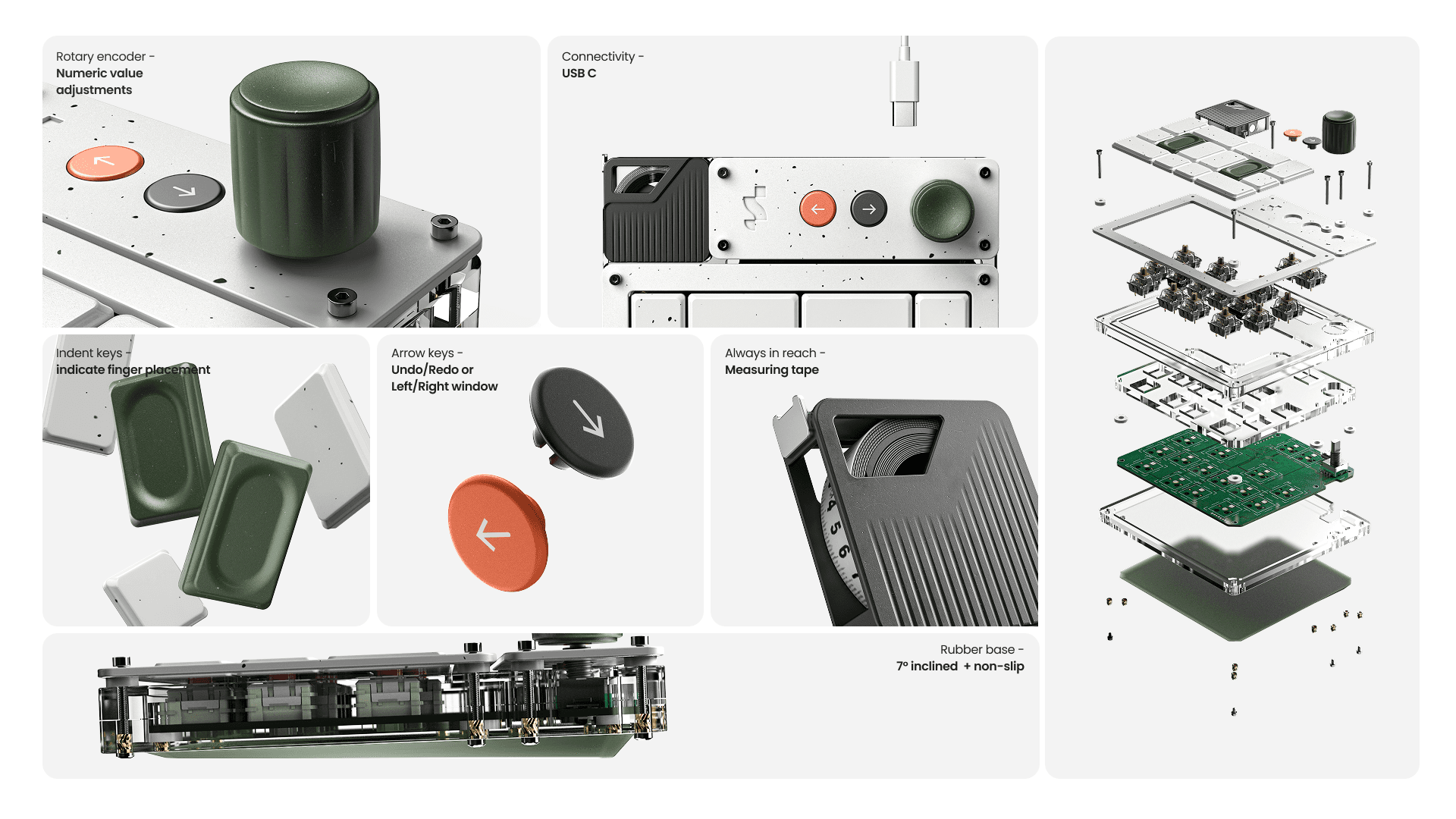
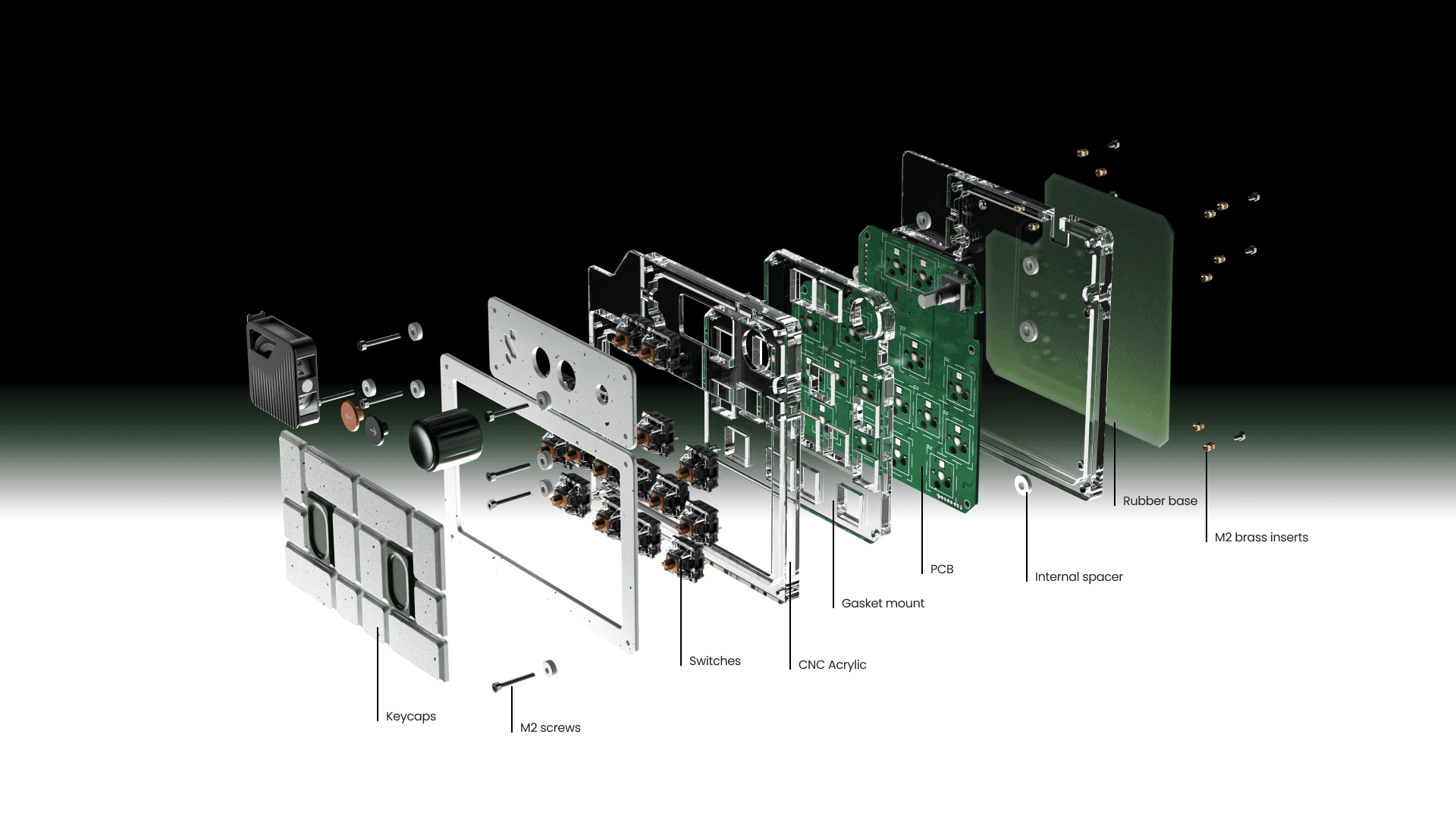
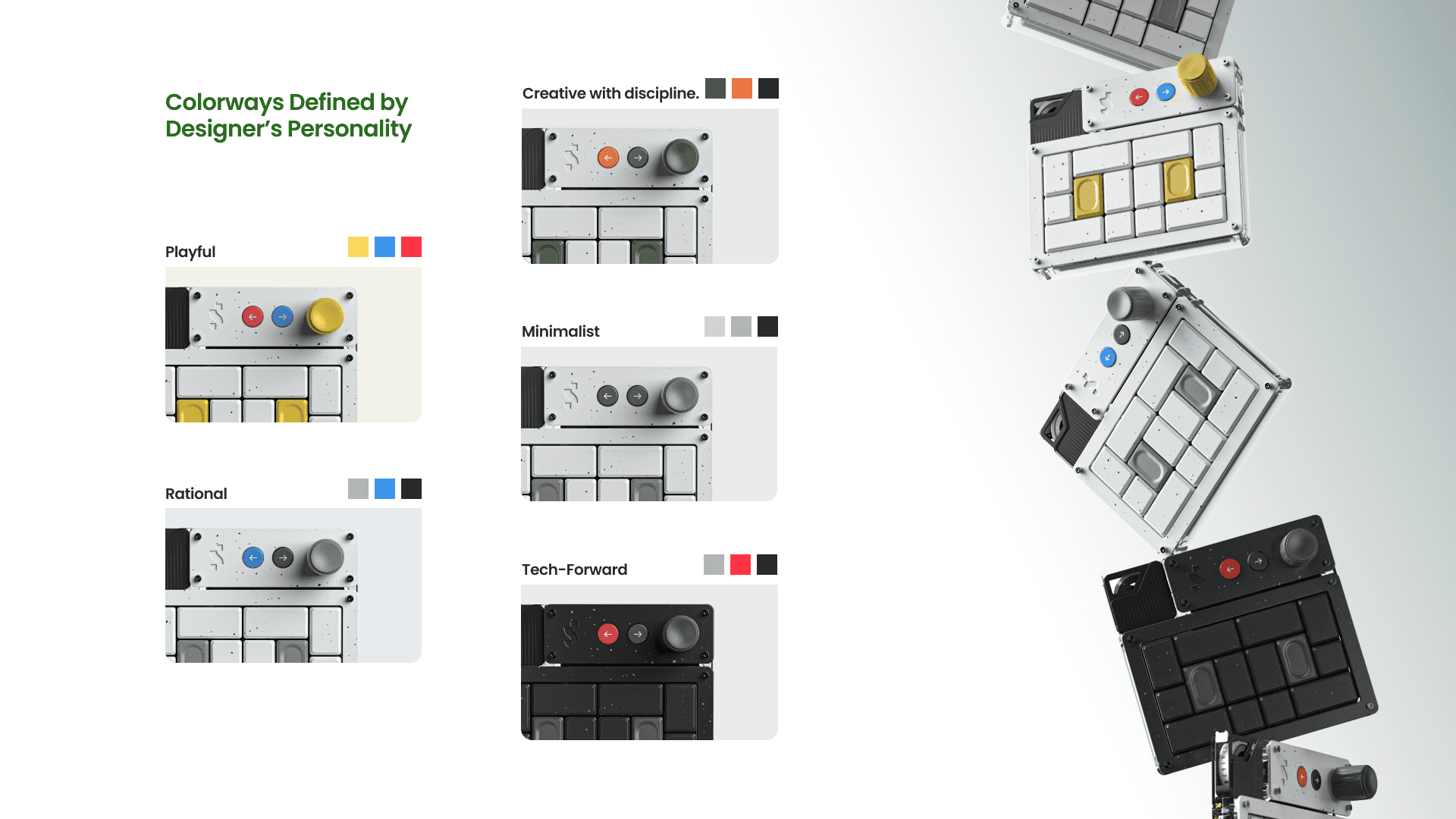
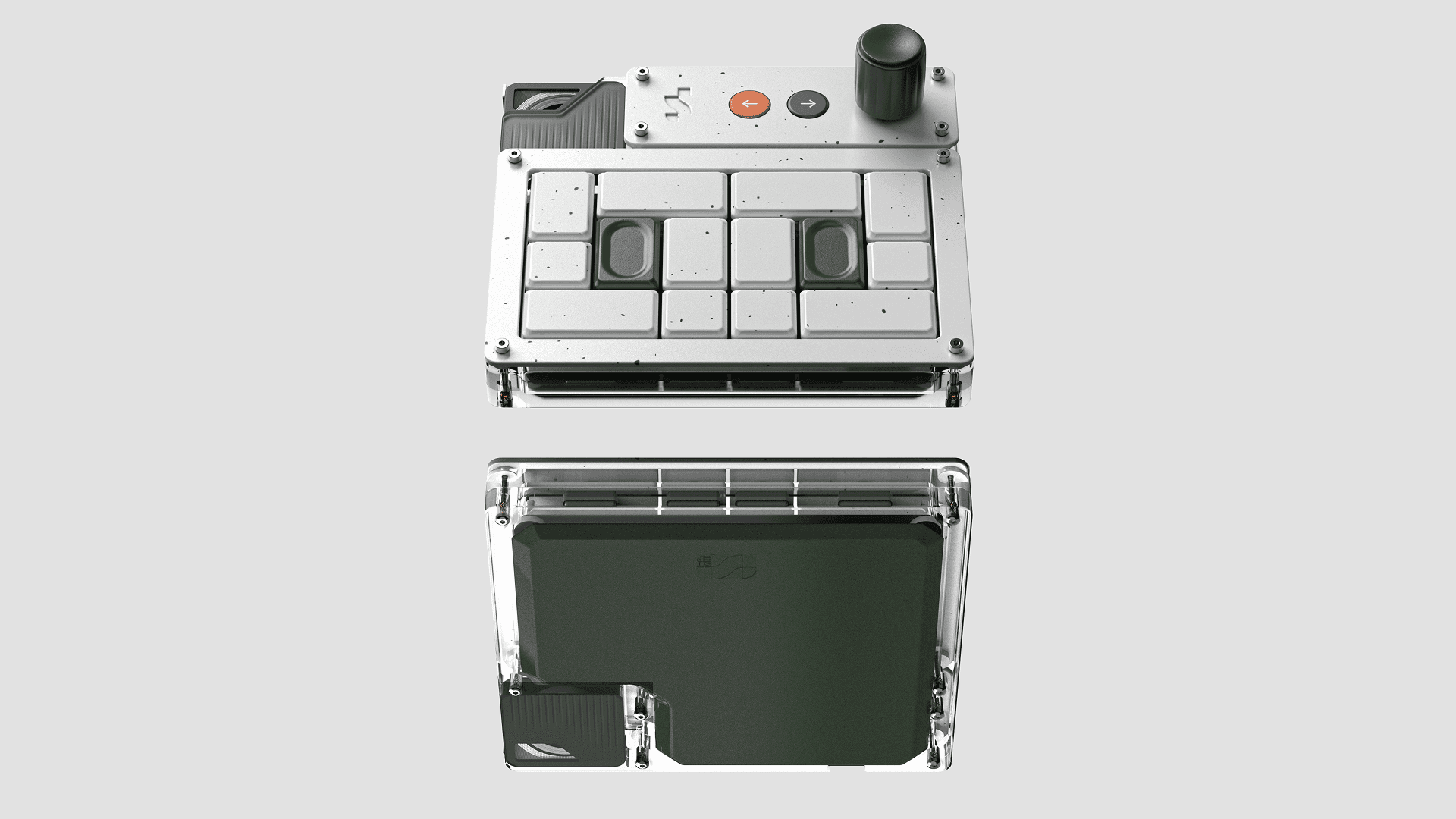
FINAL DESIGN :

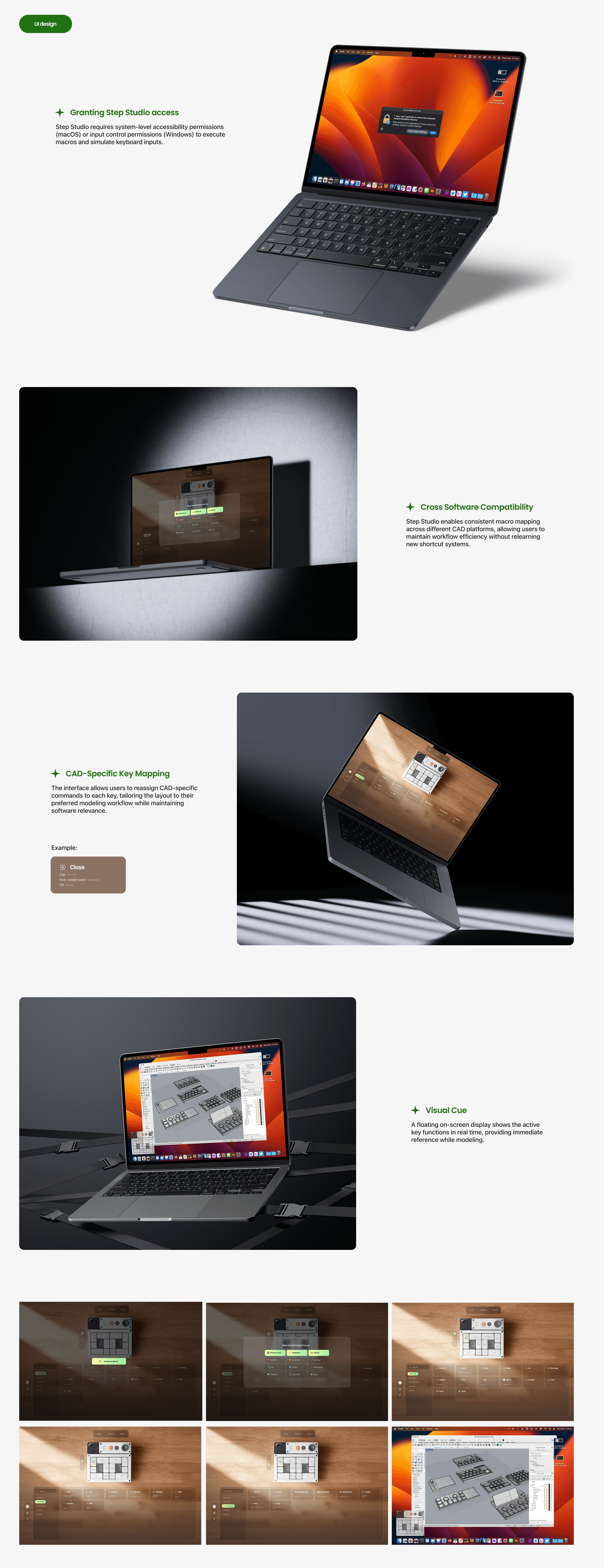
UI Design
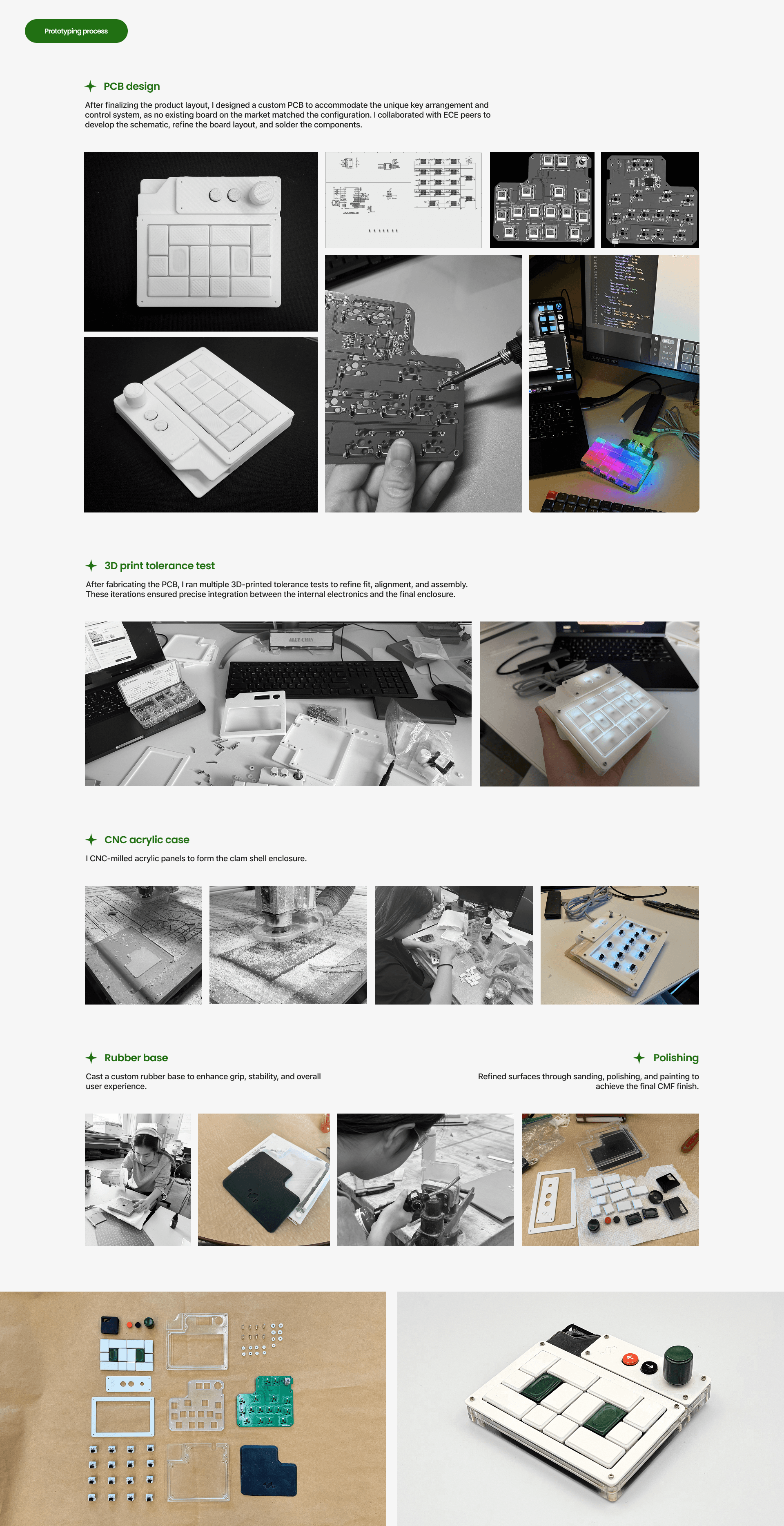
PROTOTYPING
More Projects


Academic
Step
A macro pad designed to increase CAD workflow efficiency for industrial designers and CAD users.
Project Type :
Individual
Industry :
Consumer Tech
Client :
Personal
Project Duration :
20 weeks
BACKGROUND :
Industrial designers often work in fast-paced environments where quick decision-making and iteration are essential. However, inefficiencies in the design process can slow them down and disrupt creative flow, leaving designers feeling exhausted and frustrated, ultimately affecting their motivation and the overall progress of the project.
MY EXPERIENCE :
The CAD development phase requires the most time and effort. It is also the most important and challenging stage, as it lays the foundation for everything that follows. Without it, the product would not come to life.
DESIGN SCOPE :
RESEARCH :
Through interviews, workflow observation, usability testing, and market analysis, I identified structural inefficiencies in existing CAD interaction systems.
KEY PROBLEMS :
DESIGN PROCESS:
The project began with a 6-DOF control concept for CAD, but research revealed a steep learning curve and increased cognitive load. Recognizing that mental effort, not lack of control, was the core issue, I pivoted toward designing a system focused on workflow clarity and reduced complexity.
FINAL DESIGN :
UI Design
PROTOTYPING
More Projects
Academic
Step
A macro pad designed to increase CAD workflow efficiency for industrial designers and CAD users.
Project Type :
Individual
Industry :
Consumer Tech
Client :
Personal
Project Duration :
20 weeks
BACKGROUND :
Industrial designers often work in fast-paced environments where quick decision-making and iteration are essential. However, inefficiencies in the design process can slow them down and disrupt creative flow, leaving designers feeling exhausted and frustrated, ultimately affecting their motivation and the overall progress of the project.
MY EXPERIENCE :
The CAD development phase requires the most time and effort. It is also the most important and challenging stage, as it lays the foundation for everything that follows. Without it, the product would not come to life.
DESIGN SCOPE :
RESEARCH :
Through interviews, workflow observation, usability testing, and market analysis, I identified structural inefficiencies in existing CAD interaction systems.
KEY PROBLEMS :
DESIGN PROCESS:
The project began with a 6-DOF control concept for CAD, but research revealed a steep learning curve and increased cognitive load. Recognizing that mental effort, not lack of control, was the core issue, I pivoted toward designing a system focused on workflow clarity and reduced complexity.
FINAL DESIGN :
UI Design
PROTOTYPING